
Submission tips
Check the eligibility and selection criteria for the award category you want to nominate someone for. Criteria questions can also be accessed in each example pdf included in each category
Prepare your responses to the selection criteria and save in a Word document (or equivalent) before copying into the appropriate sections of the online application.
Your responses:
- should address the selection criteria in the prompt nomination question
- should be in clear and simple writing, dot points are acceptable
- should only use AI to check your grammar, structure or writing style. If you decide to use AI, you should declare it in your nomination
- should support your answers by giving practical examples and evidence. Avoid any vague generalisations or unsupported claims
- should refer to any supporting files that you included as an attachment.
See below for more information about submitting your nomination.
Setting up and making a nomination
Top-
Visit mnsw.awardforce.com
Create an account by entering your email address in the login box.

You may be asked to verify your email address with a One Time Pin (OTP).
Enter the OTP sent to your email address. A new registration page will pop up where you can enter your registration details.
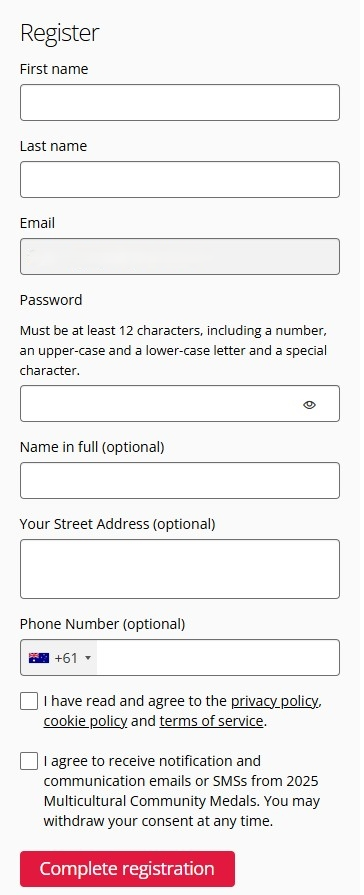
Depending on how much information has already been provided for your account, you may be required to provide additional personal information and agree to Award Force’s privacy policy.
-
Click on Start New Entry or Start Nomination.
From the category dropdown menu, select the medal you would like to nominate for.
Fill out all required fields.
Remember to save your nomination often, and especially before exiting the webpage.
For other helpful tips, see the Award Force Guide.